
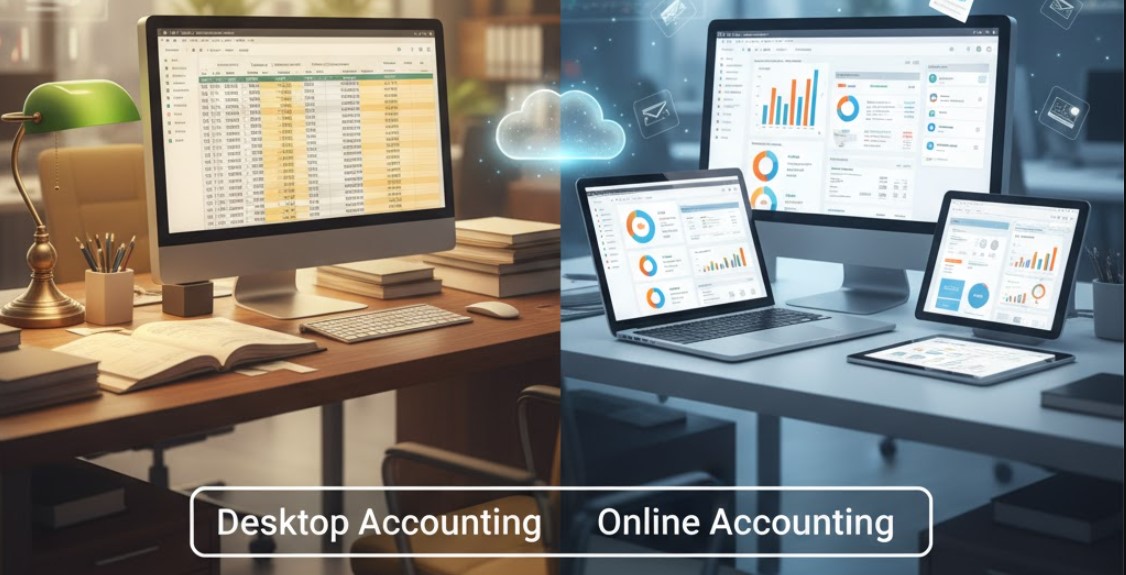
In today’s fast-moving business world, financial management is no longer limited to ledgers and spreadsheets. Accounting software has become the backbone of every business — from startups to large enterprises. However, one of the most common questions for business owners is: Should I choose online accounting software or desktop-based software?
In this guide, we’ll compare online (cloud-based) and desktop (offline) accounting software, explore their pros and cons, key features to check before buying, and highlight how a tool like Vyaaparkhata can simplify invoicing and stock management for growing businesses.
Understanding Online and Desktop Accounting Software
Online Accounting Software (Cloud-Based)
Online accounting software operates entirely through the internet. All your financial data is stored securely in the cloud and can be accessed anytime, from any device. Examples include Zoho Books, QuickBooks Online, TallyPrime on Cloud, and Vyaaparkhata.
Key Traits:
- Hosted on remote servers
- Automatic updates and data backups
- Real-time multi-user access
- Accessible from web browsers or mobile apps
Desktop Accounting Software (Offline)
Desktop accounting software is installed locally on your computer or internal company servers. Data is stored on the same device and typically not accessible from outside without remote connection tools.
Key Traits:
- Installed and run from local machines
- Data stored offline
- Manual updates required
- Usually single-user or limited multi-user access

Key Comparison: Online vs Desktop Accounting Software
| Feature | Online Software | Desktop Software |
|---|---|---|
| Accessibility | Access anywhere, anytime via internet | Limited to installed devices |
| Data Backup | Automatic cloud backup | Manual or local backup required |
| Collaboration | Multiple users can work simultaneously | Restricted to one or few users |
| Updates & Maintenance | Automatic and free updates | Manual updates, may require purchase |
| Security | Encrypted cloud storage and SSL protection | Depends on local security setup |
| Cost Model | Subscription-based (monthly/annual) | One-time purchase + optional upgrades |
| Offline Usability | Needs internet connection | Fully functional offline |
| Scalability | Easily scalable with business growth | Limited scalability; needs reinstallation |
| Device Compatibility | Works on desktop, mobile, tablet | Works only on installed system |
| Support & Integration | Regular customer support, API integrations | Limited integration options |
Advantages of Online Accounting Software
- Anywhere Access:
Ideal for business owners, accountants, or field teams who need to access data remotely. - Real-Time Collaboration:
Multiple team members can create invoices, update stock, or review reports simultaneously. - Automatic Backup & Security:
Cloud providers ensure encrypted backups, minimizing risk of data loss from system crashes. - Easy Updates:
You always work with the latest version—no manual installations or downtime. - Integration Friendly:
Connects easily with CRM, payment gateways, e-commerce platforms, or tax-filing tools. - Cost Efficiency:
Lower upfront cost; pay only for features you use via monthly or annual plans.

Advantages of Desktop Accounting Software
- Offline Access:
Works perfectly without the internet—suitable for remote or low-connectivity areas. - One-Time Purchase:
Pay once and use indefinitely (though updates may require an extra cost). - Data Control:
Data remains in-house, offering full control over storage and access. - Speed and Performance:
Local installation means no dependency on internet speed for processing.
Limitations to Consider
Online Software Drawbacks:
- Requires stable internet connectivity.
- Ongoing subscription fees.
- Data hosted on external servers (may need to ensure compliance with data privacy laws).
Desktop Software Drawbacks:
- No remote accessibility unless manually configured.
- Manual backups increase data loss risk.
- Limited collaboration and automation.
- Updates and maintenance can become costly over time.
What To Check Before Buying Accounting Software
Whether you choose online or desktop software, evaluate these essential aspects before investing:
a. Core Features
- Invoice creation and billing
- Expense tracking
- Stock and inventory management
- GST compliance and tax filing
- Reports and analytics
- Payment tracking and reminders
b. Scalability
Ensure the software can grow with your business. Adding users, integrating modules, or increasing data storage should be easy.
c. Data Security
Check for encryption standards (SSL/TLS), two-factor authentication, and regular backup features.
d. Customer Support
24×7 or business-hour support, onboarding assistance, and training resources are crucial for non-technical users.
e. Integration Compatibility
It should integrate with other tools like CRM, POS, or e-commerce platforms to maintain centralized data management.
f. Ease of Use
User-friendly dashboards, clean interface, and simple navigation are essential for small businesses and startups.
g. Pricing and Value
Compare total cost of ownership — subscription fees (for online) vs. license costs (for desktop) plus maintenance, support, and training.
Why Vyaaparkhata is an Ideal Choice for Small Businesses
If you’re looking for a smart, easy-to-use solution that combines invoice creation and stock management, Vyaaparkhata offers the right balance between simplicity and power.
Key Features of Vyaaparkhata:
- Quick Invoice Generation: Create GST-compliant invoices in seconds.
- Stock & Inventory Management: Track available stock, purchase records, and sales orders in real-time.
- Expense and Payment Tracking: Manage vendor payments, receipts, and due dates efficiently.
- Cloud Accessibility: Access your business data anytime, anywhere.
- Reports & Analytics: Generate detailed profit-loss statements, tax reports, and stock summaries.
- Secure Data: Your financial data is encrypted and automatically backed up in the cloud.
- Multi-User Support: Let your accountant, sales team, and manager work together simultaneously.
Vyaaparkhata simplifies everyday accounting — making it the perfect fit for traders, wholesalers, distributors, and service providers.
Online or Desktop — Which One is Better?
- If your business demands mobility, collaboration, and automatic updates, go for online accounting software like Vyaaparkhata.
- If your setup is in a low-internet zone and you prefer complete offline control, a desktop version might suit you better.
However, as business operations become more digital and interconnected, online accounting software provides long-term scalability, convenience, and data-driven insights.
Choosing between online and desktop accounting software depends on your business size, workflow, and data accessibility needs.
For growing small and medium businesses that want easy invoicing, stock management, and secure access from anywhere, Vyaaparkhata stands out as a practical and future-ready solution.
Smart Accounting. Simple Growth. — Start Your Free Trial with Vyaaparkhata Today!